Convert your PDF files free-of-charge
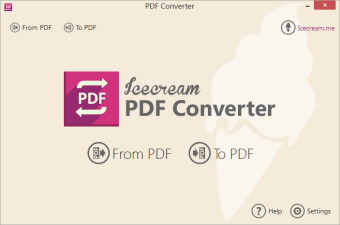
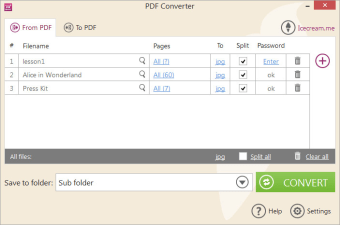
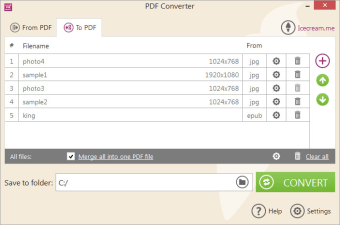
Icecream PDF Converter is a business and productivity program developed by Icecream Apps. It is a comprehensive PDF conversion tool that allows you to convert PDF files to and from various file formats. Supported file formats range from the commonly used image and text formats such as JPEG, PNG, TXT, DOC, and RTF. It even supports converting from EPUB to PDF, although PDFs cannot be converted into EPUBs.
Reliable PDF software
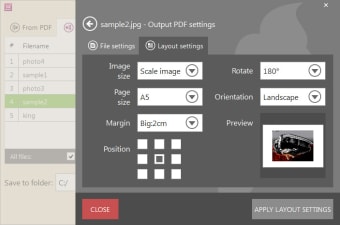
Icecream PDF Converter allows PDF file conversion regardless of size and can even process multiple files all at once. You will be able to queue up PDFs in batches and convert them with just a single click. Apart from converting PDFs, it can also help you to merge several documents or images into one PDF file. Extensive layout and format options are available so can freely set parameters you want your document to have such as margins, orientations, and the like.
This handy converter tool has no steep learning curve, especially with the drag-and-drop function. You can effortlessly add files for conversion and arrange pages of the output PDF file. Through its built-in PDF reader, you can do a quick preview and select page ranges needed to convert from PDF. It pays high regard to your security and privacy too as it doesn't require any of your confidential data while using their online services.
Furthermore, you will have the power to convert password-protected PDF documents and set your own password when converting to PDF. The extraction process can take a long time though, especially when converting documents that contain a lot of images and graphics. You might even encounter some issues occasionally. For the most part, though, the conversion process is still very reliable.
Powerful PDF converter
Despite some drawbacks, Icecream PDF Converter is still a robust and trustworthy PDF program to have. It provides an easy-to-use platform wherein you can effortlessly convert files to and from PDF without much of a learning curve. All of these are done with your security and privacy in mind. Your files and personal data are ensured safe while using this software.